NetMirror TVAll your apps, one TV.
Netflix, Prime Video, JioHotstar and five more — one free app on your TV. Watch it move through the real app below, screen by screen.
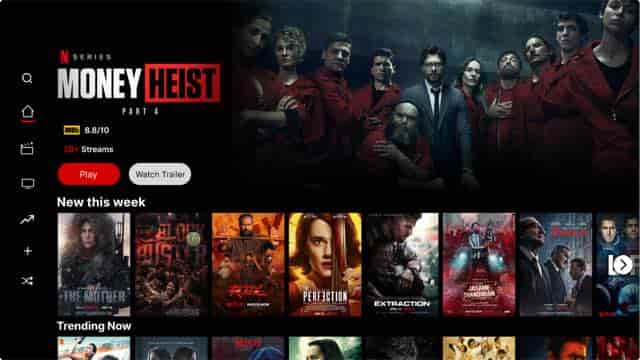
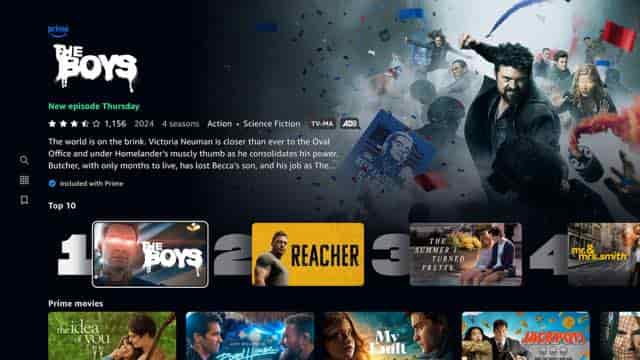

Auto-touring the real app · tap any logo
Eight streaming apps,
rolled into one free TV app.
NetMirror TV is a free streaming app built for the television — Android TV, Amazon Fire Stick, Samsung Smart TV and Chromecast. Instead of making you bounce between Netflix, Prime Video, JioHotstar and five other apps, it pulls all eight catalogues into a single library you control with one remote. You search once, and it tells you which app has the show, in which audio dub, and plays it — no juggling, no separate logins, no subscriptions.
Think of it as a universal front end for the streaming services you already know. It brings together the catalogues of Netflix, Prime Video, JioHotstar, Apple TV+, Sony LIV, Zee5, MX Player and Crunchyroll — roughly half a million movies, shows, anime and live channels — into one search box, one watchlist and one downloads list. The whole thing is a 106 MB app that installs in under two minutes.
It's for anyone tired of paying for five OTT subscriptions and still missing the one show that's only on the sixth. Cricket fans, K-drama bingers, anime watchers, parents who want one safe tab for the kids — everyone gets the same library, in up to seven audio languages, in up to 4K, with zero ads. It's free, signed by the dev team, and asks for no account to start.
At a glance
The quick facts
Open it. Pick a show.
Press play. Done.
You don't need to be techy. If you can press the buttons on your TV remote, you already know how to use NetMirror — here's every step, from switching it on to leaning back.
Open the app
Open NetMirror on your TV. It loads in about two seconds — no sign-up, no password, no OTP. You land straight on the home screen.
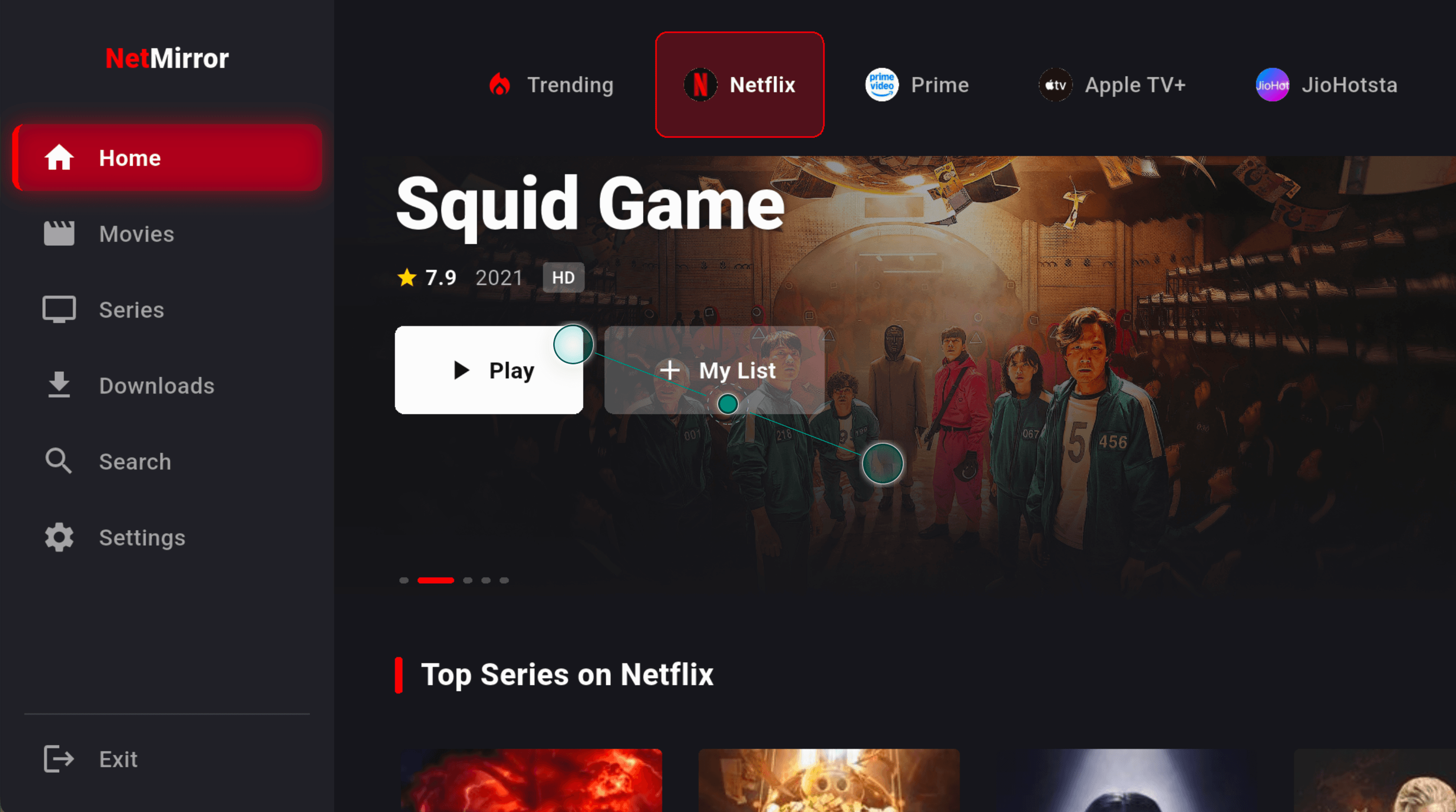
All 8 apps sit in one row
Netflix, Prime Video, JioHotstar, Apple TV+ and the rest are buttons along the top. Press one and you're inside that app's shows — no jumping between five different apps.
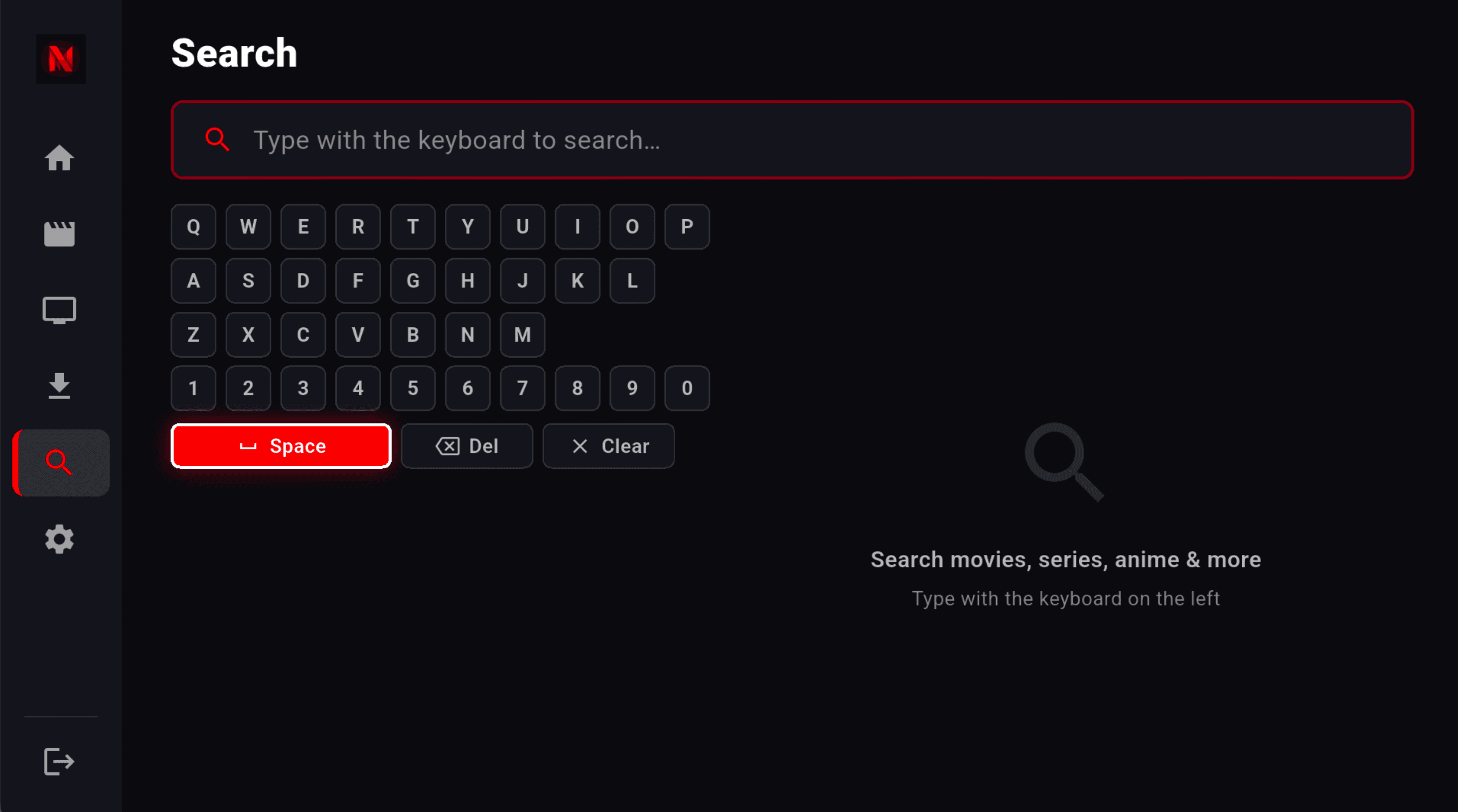
Find anything in seconds
Don't feel like browsing? Open Search and type with the on-screen keyboard using your remote — or hold the mic button and just say the name. It looks inside all eight apps at once.
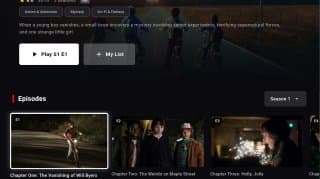
Open a show, pick an episode
Every title shows its rating, the year, how many seasons, and the full episode list with pictures. Pick any episode and press Play. Add it to My List to watch later.
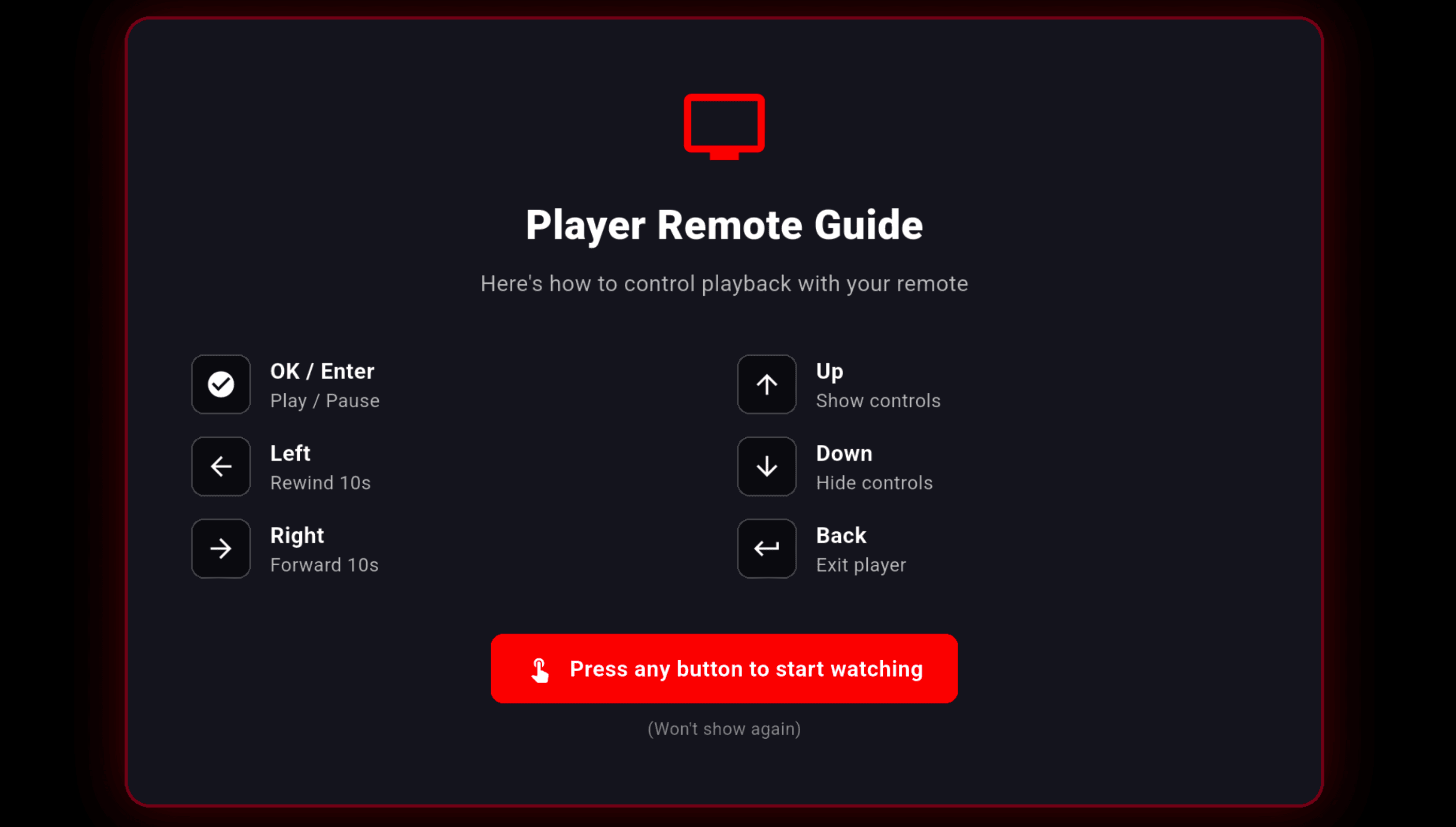
Press Play — controls are this simple
The remote does everything. OK plays and pauses. Left and Right skip back or forward 10 seconds. Up shows the controls, Back exits. A short guide shows the first time, then never again.
That's genuinely all of it. No menus to learn, no settings to configure before you can watch. Open → pick → play.
Big on content. Tiny on your TV.
One free 106 MB app replaces eight subscriptions — nothing to pay, nothing to cancel.
Eight apps.
One search box.
Type a title once. NetMirror tells you which app has it, in which dub, and takes you there — no switching apps, no juggling remotes.






Twelve genres.
Half a million titles.
Whatever the mood — a Korean thriller, a cricket night, a late-night anime episode or a film for the kids — there's a whole shelf waiting. Every genre pulls from every app that has it.
Hollywood Movies
Studio blockbusters, indie features and the long back-catalogue — first-week releases to forgotten gems.
Bollywood Movies
New Hindi releases, all-time classics and the weekly cinema additions you don't want to miss.
Regional Indian
Tamil, Telugu, Malayalam, Bengali, Kannada and Punjabi cinema — the biggest regional shelf around.
K-Dramas & Asian
Current-season Korean dramas, Japanese live action and Thai BL — same week as they air.
Anime
Simulcast new episodes, classic shounen and full movie collections — subbed and dubbed.
Documentaries
Nature, history, true crime and long-form investigative work from the world's best studios.
Stand-up Comedy
Hour-long specials from India and abroad — Hindi and English, the newest drops included.
Horror & Thrillers
Slow-burn psychological, jump-scare slashers and twisty crime mysteries for the brave.
Live Sports
Cricket on JioHotstar, Premier League on Sony LIV and the big nights, as they happen.
Kids & Family
Disney, Pixar, Marvel and Indian animation, all in one safe tab with a kid-mode PIN.
TV Web Series
Episodic dramas, sitcoms and the ongoing weekly releases everyone's talking about.
Reality TV
Singing, dancing, cooking, dating and competition formats — the guilty-pleasure shelf.
None of these are walled off — every genre quietly pulls from every app that has a matching title. You search once; NetMirror routes you to the right one.
Watch it
in your language.
Not just the menus — the whole app, the audio, and the subtitles all speak your language. Set it once, or switch on the fly mid-movie.
App interface
7 languages · the whole app
Buttons, menus, error messages and player strings — all translated, not just the labels.
Audio dubs
7 per title · switch mid-play
Where the source has them, swap the spoken language on the exact frame — no restart, no buffer.
Subtitles
Many languages · 5 sizes
Five sizes, restyle the text, set a default language once — readable even on bright scenes.
Big match night?
It's already on here.
Cricket on JioHotstar, football on Sony LIV, and the rest — the live sports both apps carry sit right here in the same library, up to 4K.
Cricket
Every big night — IPL, India internationals, the World Cup and every major series, live in up to 4K.
Football
Premier League, La Liga and Champions League nights, plus the highlights when you miss the late ones.
Motorsport
Formula 1 race weekends — practice, qualifying and the race, with onboard feeds.
Tennis
The four Grand Slams and the ATP / WTA tour, from first serve to championship point.
Kabaddi
The full Pro Kabaddi League season — every raid, every match night.
And more
Hockey, badminton, wrestling and a deep shelf of highlights and replays for everything else.
Live streams can sit a few seconds behind the TV broadcast — the usual trade-off for any internet stream. Highlights and replays are always there if you miss it live.
Works on every screen
you already own.
Four ways in — pick the one that matches your TV. Same full library, same 4K player, same zero ads on every single one.
Android TV & Google TV
The full-fat experience
Mi Box · Nvidia Shield · Sony Bravia · TCL
Built for Android TV and Google TV boxes. Glide with your remote's arrow keys, talk to it with the mic, and beam from your phone — everything's baked in, nothing to configure.
- D-pad navigation, no touch
- 4K · HEVC + AV1 decode
- Voice search via remote
- Chromecast receiver built-in
Downloader → enter URL → Install
106 MB APK
Amazon Fire Stick
Plug in, press play
Fire Stick 4K · Fire TV Cube · Stick Lite
Every Fire Stick and Fire TV Cube. One quick Downloader install and you're set — Alexa search works the second you hold the mic, and the app opens itself when the stick wakes up.
- Alexa voice search built-in
- One-step Downloader setup
- Auto-launch on boot
- 4K HDR on Max models
Downloader → netmirrorgg.com/tv
106 MB APK
Samsung Smart TV
Nothing to install
Tizen OS · 2019 models and newer
Any Samsung TV from 2019 onward. Skip sideloading completely — open Samsung Internet, go to the link, add it to your home screen, and it runs full-screen like a native app.
- No sideload — browser only
- Add to Samsung home screen
- Full-screen, no browser bars
- Works with the Samsung remote
Samsung Internet → net27.cc
Web App
Chromecast & Google TV
Tiny dongle, full app
Chromecast with Google TV · 4K & HD
The Chromecast with Google TV, 4K or HD. Sideload once and you get the complete app — Google Assistant search, Google TV integration, and the same library the big boxes get.
- Google Assistant search
- Google TV home integration
- D-pad + touchpad remote
- Same APK as Android TV
Downloader on Chromecast → APK
106 MB APK
Everything
NetMirror TV can do.
Not a boring feature list — every part of NetMirror explained the way I'd explain it to a friend. Twenty-one things, big and tiny, that you'll actually feel using it.
All eight apps live in one place
You know how you keep hopping between Netflix, Prime, JioHotstar and five others looking for one show? NetMirror puts every one of them behind a single row of buttons at the top — tap Netflix, you're in Netflix; tap Prime, you're in Prime. One library of half a million titles, one search box, one watchlist, and you never log into anything.
- One search box for all eight
- Switch apps with one tap
- No account, no password
- Same library on every device
- Mix results into one watchlist
- It tells you who has each title
A genuine 4K player
Not a stretched phone player — a real one. It decodes 4K HEVC and AV1 in hardware, so big files stay smooth and cool. Auto-quality watches your connection and quietly picks the sharpest level that won't buffer on you.
- HEVC + AV1 hardware decode
- Auto-quality, anti-buffer
- Up to 4K UHD
- Looks like the source app
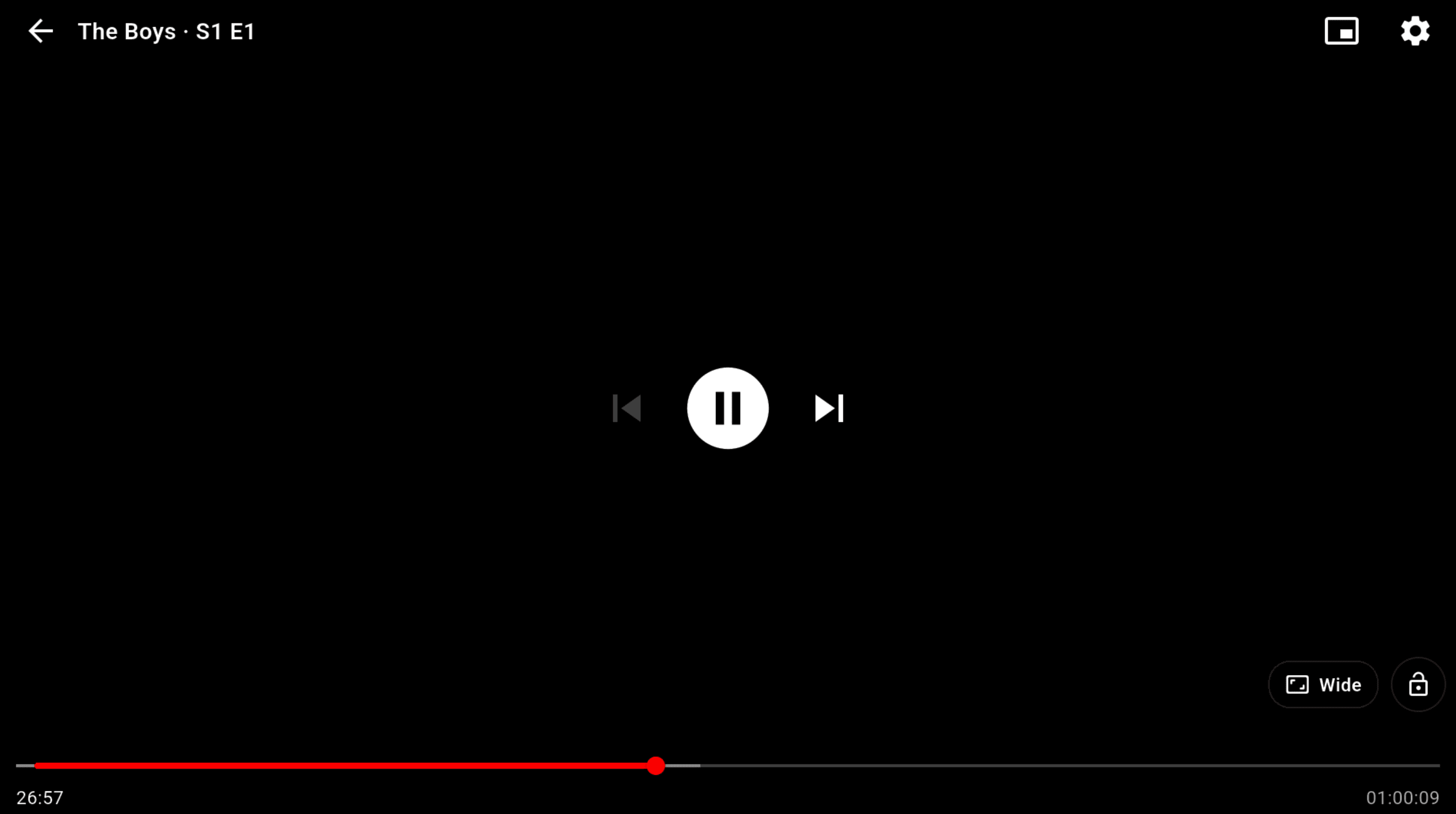
Change the language mid-scene
Parents walked in during a Hollywood film? Open Audio, tap Hindi — it switches on the exact frame, no restart, no buffering. Up to seven dubs wherever the source has them.
- Switches without restarting
- Keeps your timestamp
- Falls back to original
Skip the intro, every episode
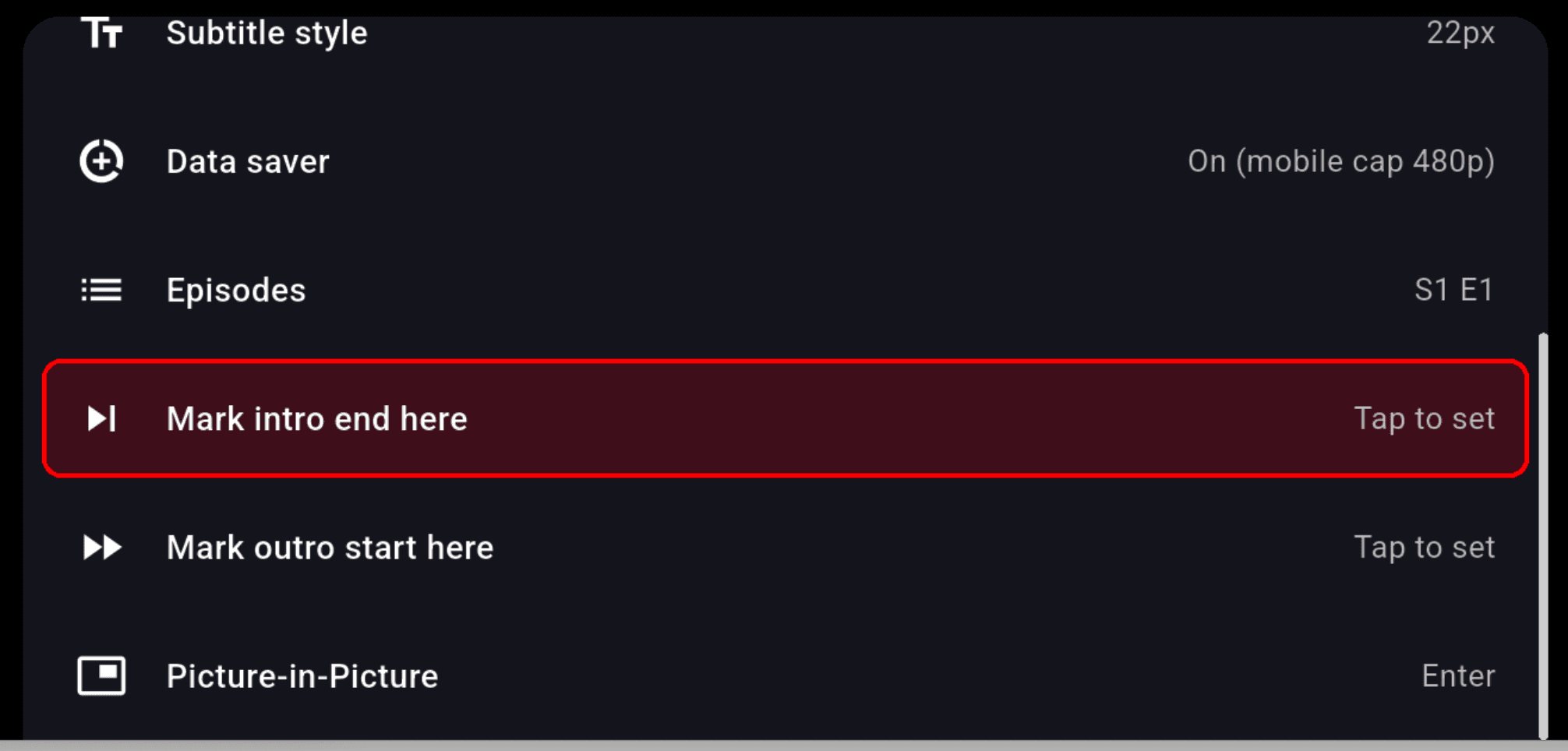
Mark where the intro ends once and NetMirror remembers it for the whole season — every next episode gets a Skip button at the right second. Mark the outro too and it slides you into the next one.
- Set once per season
- Skip at the right second
- Auto-next on outro
Search once, it checks all eight
Type a name with the remote — or hold the mic and just say it — and NetMirror looks inside every app at once, then tells you who has it and in which dub. No more opening five apps to find one film.
- On-screen keyboard or voice
- Shows who has it + dubs
- All eight at once
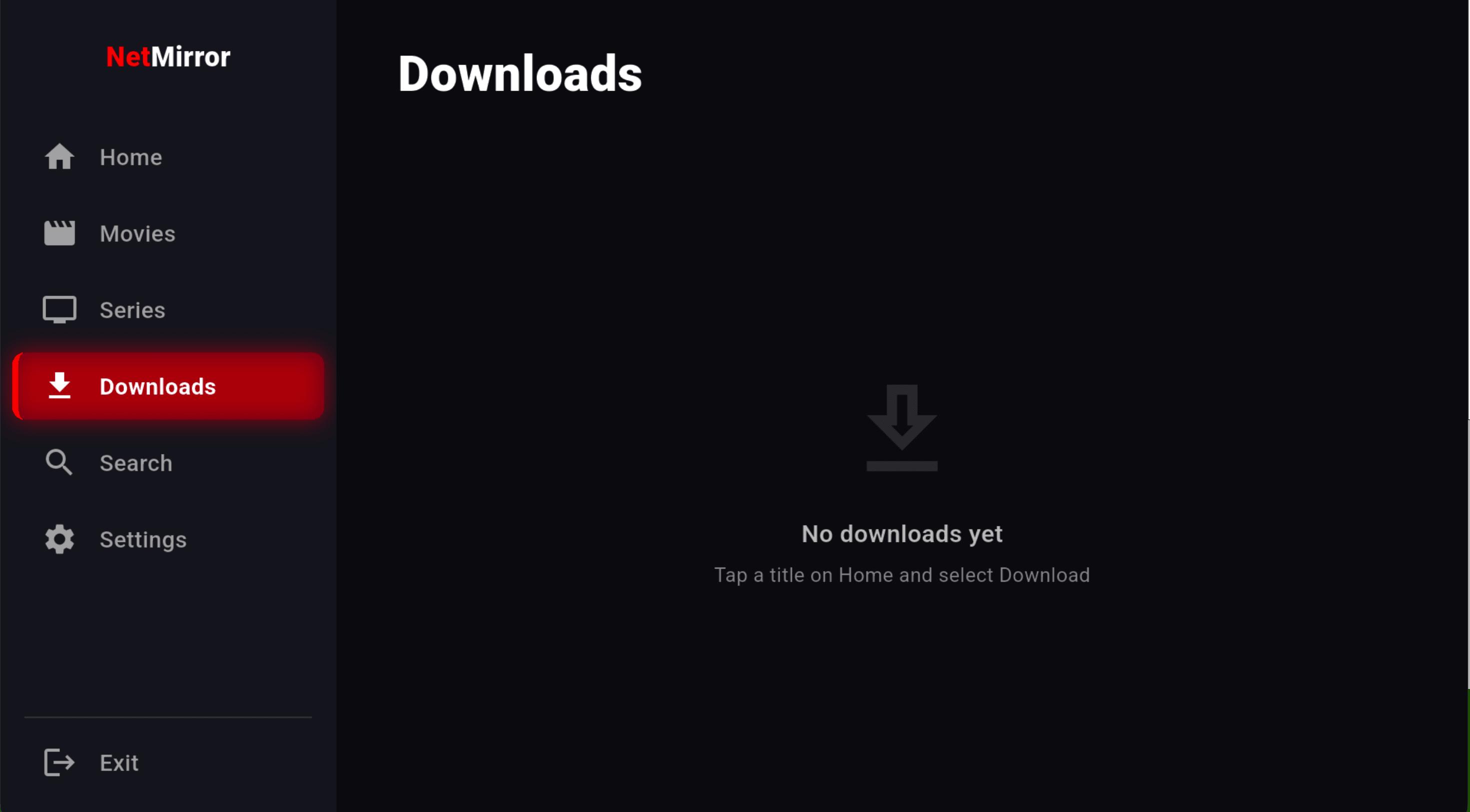
Downloads that actually work offline
Before a flight or a long drive, hit download, pick the quality and the dub you want, and it saves to the device — whole seasons in one tap. Close the app by mistake? It resumes from the exact byte it stopped at, and plays in airplane mode with no 'session expired' on landing.
- Pick quality + dub first
- Full seasons in one tap
- Resumes after force-close
- Plays in airplane mode
Made for your remote, not your thumb
Every screen, button and menu answers to the arrow keys and OK — nothing needs a touchscreen. It even gives you a full on-screen keyboard for searching, so you never hunt-and-peck. A little guide pops up the very first time you open a video, then gets out of your way for good.
- 100% D-pad operable
- No touchscreen needed
- On-screen keyboard for search
- First-time guide, then hidden
- Works with any TV remote
- Mic button for voice search
Keep watching in a corner
Picture-in-Picture shrinks the video into a small floating window so you can glance at something else and not miss a beat. One press to pop it out, one to bring it back full-screen.
- Floats over other apps
- One press in and out
- Reply while you watch
Speed it up, slow it down
From 0.5× for a tricky accent to 2× for a slow documentary — five speeds, and the audio stays pitch-corrected so voices never go chipmunk on you.
- Five presets, 0.5×–2×
- Pitch-corrected audio
- No chipmunk voices
Subtitles the way you like them
Five sizes, a couple of text styles, and a look that stays readable even on bright scenes. Flip them on for one video, or set a default language once and forget it.
- Five sizes + styles
- Readable on bright scenes
- Per-video or default
Everyone gets their own space
Up to five profiles, each with its own My List, watch history and recommendations. Kid mode hides anything above U/PG behind a four-digit PIN the little ones don't know.
- Up to 5 per device
- Separate list + history
- Kid mode 4-digit PIN
Zero ads. Not even one.
No five-second launch ad, no mid-roll cutting into the climax, no banner sliding over the player. The old launch ad was removed in the 2.x line and it is staying gone — you open the app, you're on the home screen.
- No launch ad
- No mid-roll
- No banner overlay
Signed, scanned and safe
Every build is scanned on VirusTotal with zero detections, signed with the same key since day one, and ships with its SHA-256 so you can verify the file yourself. No tracker SDKs, nothing phoning home with your history.
- 0 detections on VirusTotal
- Same keystore since v1
- No tracker SDKs
Continue Watching follows you
Stop mid-episode in the bedroom, finish it in the living room. NetMirror remembers exactly where you paused and lines it up on the home screen, ready to resume in one click — across your phone, browser and TV.
- Resumes the exact second
- Syncs phone · web · TV
- Right on the home screen
Throw it to the big screen
Watching on your phone but the TV's right there? Chromecast and AirPlay are built into the player — tap the cast icon, pick your screen, and it jumps over in a couple of seconds. Your phone becomes the remote.
- Chromecast + AirPlay built-in
- Jumps over in seconds
- Phone becomes the remote
Data saver for tight plans
On mobile data and watching the meter? Flip on Data Saver — it caps streaming at 480p and skips preview thumbnails, so an hour of watching stays under about 350 MB instead of eating your whole pack.
- Caps mobile at 480p
- Skips preview thumbnails
- ≈ 350 MB per hour
The home screen does the digging for you
Open the app and it's already laid out for a lazy evening — Top 10 Today that refreshes every few hours, Trending Movies and Shows, New Releases, Coming Soon and Popular K-Dramas. Each title page shows the rating, the runtime, the cast with their real character names, and a 'More Like This' row that reads cast, crew and tone — not just what's popular today.
- Refreshes every few hours
- Cast with character names
- Rating, runtime, synopsis
- Six smart rails on open
The whole app in your language
Not just the labels — buttons, menus, error messages and even the player strings are translated. Set it to Hindi, Tamil, Telugu, Spanish, Korean or English, or let Auto match your preferred audio everywhere a title supports it.
- Seven UI languages
- Menus + errors translated
- Auto-match your audio
- Set once, applies everywhere
Lock the screen mid-binge
One tap hides all the controls so a stray finger or a curious kid can't pause or skip your movie. One more tap brings everything back. Small thing — you'll miss it on other apps.
- Hides all controls
- Stray-finger proof
- One tap to unlock
Fit, fill or zoom the picture
Black bars on an old film? A weirdly cropped upload? Switch between Fit, Fill and Zoom to make any video sit right on your screen — no more letterboxed slivers or stretched faces.
- Fit · Fill · Zoom
- Fixes letterboxing
- No stretched faces
Suggestions that actually fit
The 'More Like This' row doesn't just throw the week's hits at you — it looks at the cast, the crew and the tone of what you just watched, so the next pick feels hand-chosen rather than random.
- Reads cast, crew & tone
- Not just today's hits
- Feels hand-picked
Twenty-one features and still counting — but these are the ones you'll reach for on an ordinary Tuesday night.
NetMirror TV UI
screenshots.
This is exactly what you get the moment you open the app — every screen captured straight from NetMirror TV. Tap any shot to see it full-size.
12 real captures from the latest v2.0.8 build.
What's new in
NetMirror TV.
Real, named changes — not “various improvements”. This is exactly what went into the newest build and the bugs we squashed from the version before it.
Released 2 June 2026 · build 2018 · upgrading from v2.0.7
New & Improved
Things that got better in v2.0.8
- App cold-starts about 30% faster on Fire Stick and older boxes
- Smoother poster scrolling on lower-end sticks — no more stutter
- “Mark intro / outro” now syncs reliably across a whole season
- Per-title aspect ratio (Fit / Fill / Zoom) is remembered next time
- Apple TV+, Sony LIV, Zee5, MX Player & Crunchyroll fully wired into TV search
- Voice search now understands partial and misspelt titles much better
Bug Fixes
Squashed from the previous build
- Fixed a crash when opening the player on some Fire TV Stick Lite units
- Fixed subtitles occasionally lagging one episode behind after auto-play
- Fixed downloads restarting from 0% after a force-close — they now resume exactly
- Fixed D-pad focus getting stuck on the provider row on Android 9 TVs
- Fixed audio drifting out of sync after switching dubs mid-playback
- Fixed Continue Watching not saving progress when you exit with Back
- Fixed 4K AV1 titles showing a black screen on certain MediaTek chips
- Fixed the on-screen keyboard sometimes dropping the first typed letter
Every build's full changelog lands on Telegram first. Read the complete changelog
Full
version history.
We don't hide the changelog. Here's the full trail — what shipped, when, and exactly what changed in each version since day one.
- 30% faster cold start on Fire Stick and older boxes
- Smoother poster scrolling on low-end sticks
- Mark intro/outro now syncs across a whole season
- Per-title aspect ratio is remembered next time
- Voice search understands partial & misspelt titles
- 8 bug fixes (player crash, dub sync, download resume, D-pad focus & more)
Always grab the newest build — latest on Telegram.
6 months with
NetMirrorTV.
Daily use · Android TV + Fire Stick + Samsung TV
Disclaimer: I discovered NetMirrorTV through the Telegram channel seven months ago and have been using it daily since. This is my own experience — not sponsored, not a paid review.
“I cancelled two OTT subscriptions within the first week. Not because I planned to — I just stopped opening the other apps. NetMirrorTV was already there.”
How I Found NetMirrorTV
I had four active subscriptions — Netflix, Prime, JioHotstar and Zee5. I was spending close to ₹1,800 a monthjust to keep up with shows my office group chat wouldn't stop talking about. A friend dropped a Telegram link and said “just try it for one evening.” That evening turned into six months of daily use.
The install took about four minuteson my Mi Box S. Opened Downloader, typed the URL, tapped Install, picked Hindi as my default dub. That was literally it. There was no account creation, no OTP, no “tell us your preferences” carousel. The home screen just opened with a Top 10 Today rail that already had something I wanted to watch.
First Week — The “This Actually Works” Phase
The first thing I noticed was the chip row at the top — Netflix, Prime, Hotstar, Apple TV+, Sony LIV, Zee5, MX Player, Crunchyroll, all visible without opening any menu. One tap and you're in that OTT's catalogue. It sounds like a small thing until you've spent three years switching between apps with a remote.
The universal search is where it gets genuinely impressive. I typed “Scam 1992” and NetMirrorTV told me it's on Sony LIV, available in Hindi and Tamil, 4K available on the first three episodes. I've never had that kind of cross-platform information in one place before.
By day five, I had stopped opening the official JioHotstar app entirely. Cricket nights still came through NetMirrorTV. Same content, same stream quality — but now it sat next to everything else in one place.
The Audio Dub Feature is Genuinely Useful
I watch a lot of Korean dramas and Hollywood films. The dub switcher — seven languages, switchable mid-playback without restarting — sounds like a minor feature until you're watching Squid Game with your parents who don't read subtitles fast enough. One tap, Hindi dub kicks in at the exact second you were at. No restart, no buffering delay. I've used this almost daily.
The Offline Download Test
I had a Pune–Delhi flight coming up. Night before, I queued an entire season of The Family Manfor download — picked High quality, Hindi audio. Files saved in about 25 minutes on hotel Wi-Fi. The next morning, at 35,000 feet with airplane mode on, every episode played without a single hiccup. No “session expired” on landing. No re-login. I came back having watched seven episodes I hadn't planned to.
The force-close-safe downloads are a real feature, not marketing. I accidentally closed the app on episode 3's download. Came back ten minutes later — it picked up exactly from the byte it stopped at. Not from the beginning of the segment, not from segment zero. From the exact byte.
Six Months In — The Honest Summary
I still have Netflix. I cancelled Zee5 and JioHotstar standalone within the first month. I'm saving about ₹1,200 a month compared to what I used to spend. The app has earned a permanent home-screen spot on my Mi Box, my Fire Stick (in the bedroom), and my Samsung TV (via the Samsung Internet web app).
The things that are not perfect: Continue Watching can drift by five to ten secondsacross providers. The recommendation engine is good but not Netflix-level yet — it lacks a decade of personalisation data. There's no group watch feature, which I miss from Netflix Party. These are real gaps. But they don't change my core answer when people ask me if they should install it: yes, install it, give it a week, see if you stop opening other apps.
That happened to me around day eight. It might happen to you sooner.
What our
users say.
Real words from real users in the Telegram channel — unedited, not paid for, not rewritten. Scroll the history yourself if you like.
Finally cancelled three subscriptions. Everything I watch is on my Fire Stick now, in one place, for free. Wish I'd found this a year ago.
The skip-intro across a whole season is genius. Binged all of Money Heist without touching the remote once. Tiny feature, huge difference.
Installed it on my dad's TV box in two minutes. He's 64 and figured out the whole thing himself. That tells you how simple it is.
Cricket on JioHotstar and anime on Crunchyroll on the same home screen. This is genuinely the dream setup. 4K looks identical to the real apps.
Downloaded a full season the night before my flight, played perfectly in airplane mode, and no 'session expired' when I landed. Sold.
Zero ads is the part I still can't believe. You open it and you're just… watching. No five-second countdown, no banners. Beautiful.
Voice search on the Fire remote actually works — just say the name and it finds it across all the apps. Took off a star only because live sports isn't there yet.
Switched the dub to Hindi mid-movie for my mom and it didn't even restart the video. Picked up on the exact frame. Properly impressed.
No sideloading on my Samsung — just opened the browser, added it to the home screen, done. Runs full-screen like a real app.
Six months in, daily use. What keeps me here is the team — they actually fix bugs fast and post every changelog on Telegram. Feels alive.
Posted publicly in the NetMirror Telegram channel. Not paid, prompted, or reworded.
Verify on Telegram →The pros.
And the cons.
Every point below is something you'll notice in daily use. The wins genuinely outweigh the gaps — but the gaps are real and we're not hiding them.
If you juggle two or more OTT subscriptions, NetMirrorTV is almost certainly the right call. If you only watch one service and it works well for you — you might not need to switch. Try it for a week. Uninstall is two button presses.
NetMirror TV vs
paying for each app.
What ₹19,672 a year buys you across six subscriptions — versus one free app that holds the same catalogues.
| Feature | NetMirror TV | | | Stremio | |
|---|---|---|---|---|---|
| Price / month | ₹0 — free forever | ₹649–₹799 | ₹125 | Free* | ₹299 |
| OTT services | 8 in one app | Netflix only | Prime only | Add-ons needed | Hotstar only |
| 4K UHD | Yes | Premium plan | Yes | Depends | Yes (sports) |
| Offline downloads | Yes · dub + quality | Yes | Yes | No | Yes |
| TV / D-pad UI | Native TV APK | Native | Native | Limited | Native |
| Audio dub switch | 7 dubs mid-play | Yes | Yes | Via add-ons | Limited |
| Voice search | Alexa + Google Asst. | Via TV OS | Alexa | No | Via TV OS |
| Ads | Zero, anywhere | Basic plan only | No | No | Free tier |
| Account required | Optional | Mandatory | Mandatory | Optional | Mandatory |
| Signed APK / Trust | SHA-256 · 0 detections | Play Store | Play Store | Play Store | Play Store |
* Stremio free tier requires third-party add-ons for streaming; legality varies. Netflix, Prime and Hotstar prices are India retail as of May 2026.
Is it safe? Is it legal?
Straight answers to both.
Two questions everyone asks before installing — and we'd rather you heard the real answer here than guess. No spin on either one.
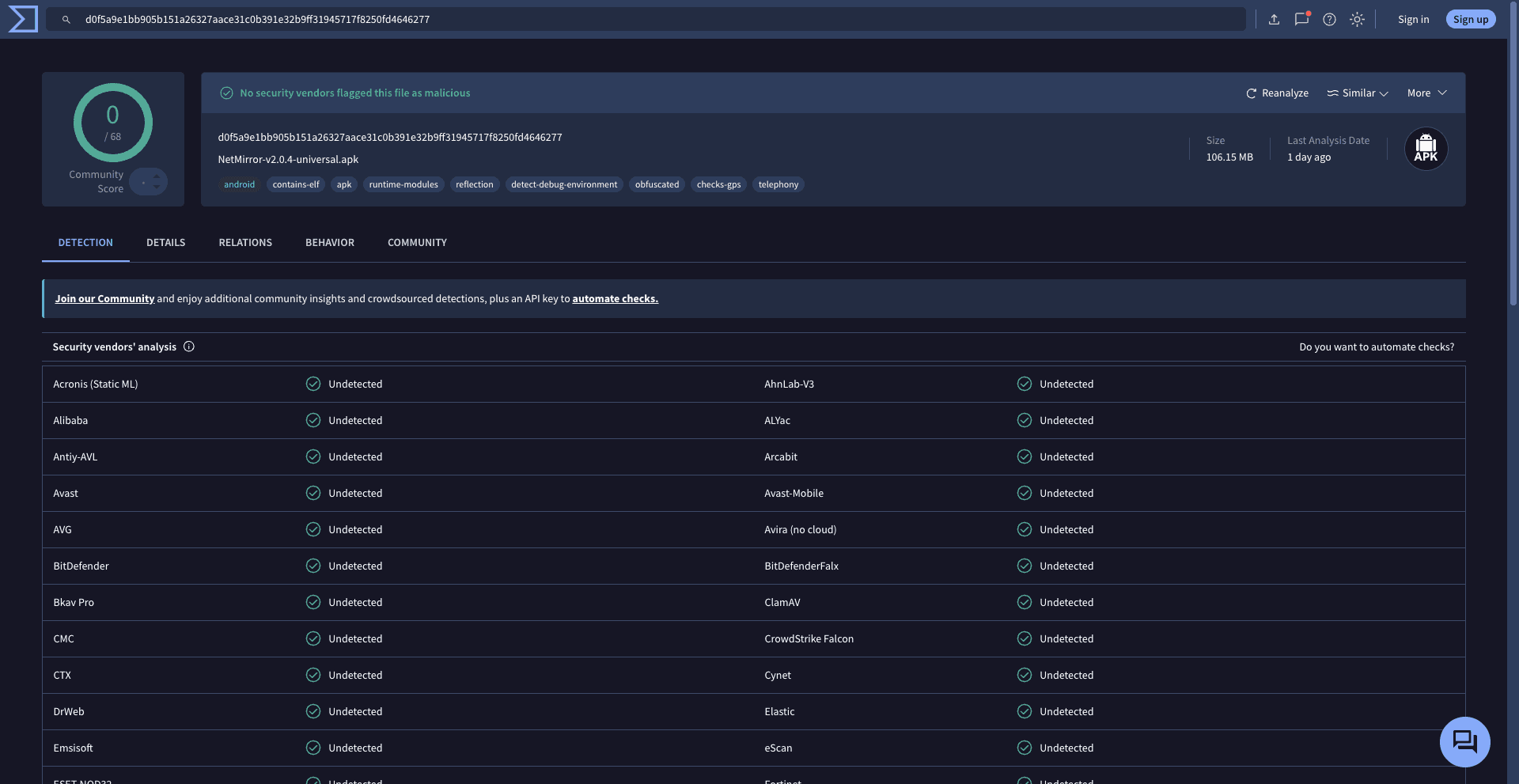
No security vendors flagged this file on VirusTotal
d0f5a9e1bb905b151a26327aace31c0b391e32b9ff31945717f8250fd4646277Yes — and you can check
You don't have to take our word for any of it. Here's the proof, all verifiable:
Honestly? A grey area
We won't pretend otherwise. Here's exactly where it stands:
Streaming licensed catalogues outside an official subscription sits in legally ambiguous territory in most countries, including India.
We don't give legal advice — whether to use it is your decision to make, fully informed.
NetMirror doesn't bypass DRM or geo-restrictions. If a title is region-locked by the source, it stays locked here too.
Scanned on VirusTotal.
Zero detections.
Don't take our word for it — here's the actual VirusTotal report. The APK was run through every major antivirus engine and not one flagged it. This is the real, unedited result.
d0f5a9e1bb905b151a26327aace31c0b391e32b9ff31945717f8250fd4646277Will it run
on your TV? Almost certainly.
It's a light app that runs happily on modest hardware. If your TV box is from the last seven or eight years, you're good. Here's the exact spec.
Internet you'll need
On a slow line? Auto-quality and Data Saver keep it smooth at lower speeds — no settings headache.
Officially supported
Up and running
in under 3 minutes.
Five steps per device. Written for someone holding the remote for the first time — not for a developer.
Android TV & Google TV
5 steps · under 3 minutes
Install Downloader app
Open Google Play Store on your Android TV. Search 'Downloader by AFTVnews' and install — it is free.
Enable unknown sources
Settings → Device Preferences → Security & Restrictions → Unknown Sources → enable for Downloader.
Enter the APK URL
Open Downloader, tap the URL bar, type the netmirrorgg.com TV link, tap Go. The 106 MB APK downloads.
Tap Install
The system install prompt opens. Tap Install. The TV-optimised UI launches as soon as you tap Open.
Choose your language
Onboarding picks your preferred audio language. Set it once — the auto-pick applies it to every title.
Before you start
- Connect to Wi-Fi — avoid mobile hotspot for the download.
- Free at least 200 MB storage on the device.
- No account needed. Browse as a guest from first launch.
- Remote mic button works for voice search immediately after install.
APK Details
Set it up once.
Buffer-free every night.
Ninety percent of streaming complaints come down to a couple of settings. Get these right once and you'll basically never see a spinner again.
Recommended settings
Copy these once — done forever
Removes about 80% of buffering — it adjusts to your speed live.
Caps at 480p, keeps an hour under ~350 MB.
Smoothest 4K. Switch to Software only if you ever get a black screen.
Your dub then applies to every title automatically.
No fiddling per video — it just remembers.
The sweet spot between file size and clarity.
Kill the buffering
- Set Quality to Auto or 720p
- Turn Data Saver on
- Close heavy background apps
- Use the 5 GHz Wi-Fi band
Save your mobile data
- Flip on Data Saver (480p cap)
- An hour stays under ~350 MB
- Download on Wi-Fi to watch later
- Skip preview thumbnails — it does this for you
Sharpest 4K picture
- Pick 4K only on fast, stable Wi-Fi
- Keep the decoder on Hardware
- Sit on the 5 GHz band
- Wired LAN on a box beats Wi-Fi every time
Make it start faster
- Clear the cache about once a month
- 720p starts quicker than 4K
- Restart the router if it's been days
- Keep 500 MB+ of storage free
Perfect for a flight
- Download the night before on Wi-Fi
- Pick High quality and your dub
- Whole seasons queue in one tap
- Plays in airplane mode, no re-login
Smooth on older sticks
- Drop quality to 1080p
- Toggle decoder Hardware ↔ Software
- Close other TV apps first
- Restart the stick once a week
One golden rule: if anything ever stutters, drop the quality one notch first. It fixes the vast majority of problems before you change anything else.
Something not working?
Here's how to fix it.
Almost every problem people have is one of these. For each one we tell you what goes wrong, why it happens, and the exact steps to fix it — in simple words. Tap a category, or just read them all.
“App not installed” error
Why: Usually an older copy of NetMirror is still on the device, or you're below ~200 MB of free space.
- 1Uninstall any older NetMirror from Settings → Apps
- 2Free up at least 200 MB of storage
- 3Re-download the latest 106 MB APK
- 4Tap Install again — it goes through clean
Play Protect blocks the install
Why: Android flags every sideloaded app this way — it's a policy notice, not a virus. NetMirror is VirusTotal-clean (0 detections).
- 1On the warning, tap More details
- 2Tap Install anyway at the bottom
- 3Want to be 100% sure? Match the SHA-256 we publish with each release
Downloader can't open the link
Why: Unknown-sources isn't enabled for the Downloader app, or there's a small typo in the URL.
- 1Settings → enable “Install Unknown Apps” for Downloader
- 2Re-type the exact netmirrorgg.com TV URL — no spaces
- 3Use Wi-Fi, not a phone hotspot, for the download
- 4Press Go and let the full 106 MB finish
Buffering on a good connection
Why: Auto-quality reached for a higher bitrate than the moment can sustain, or background apps are eating the bandwidth.
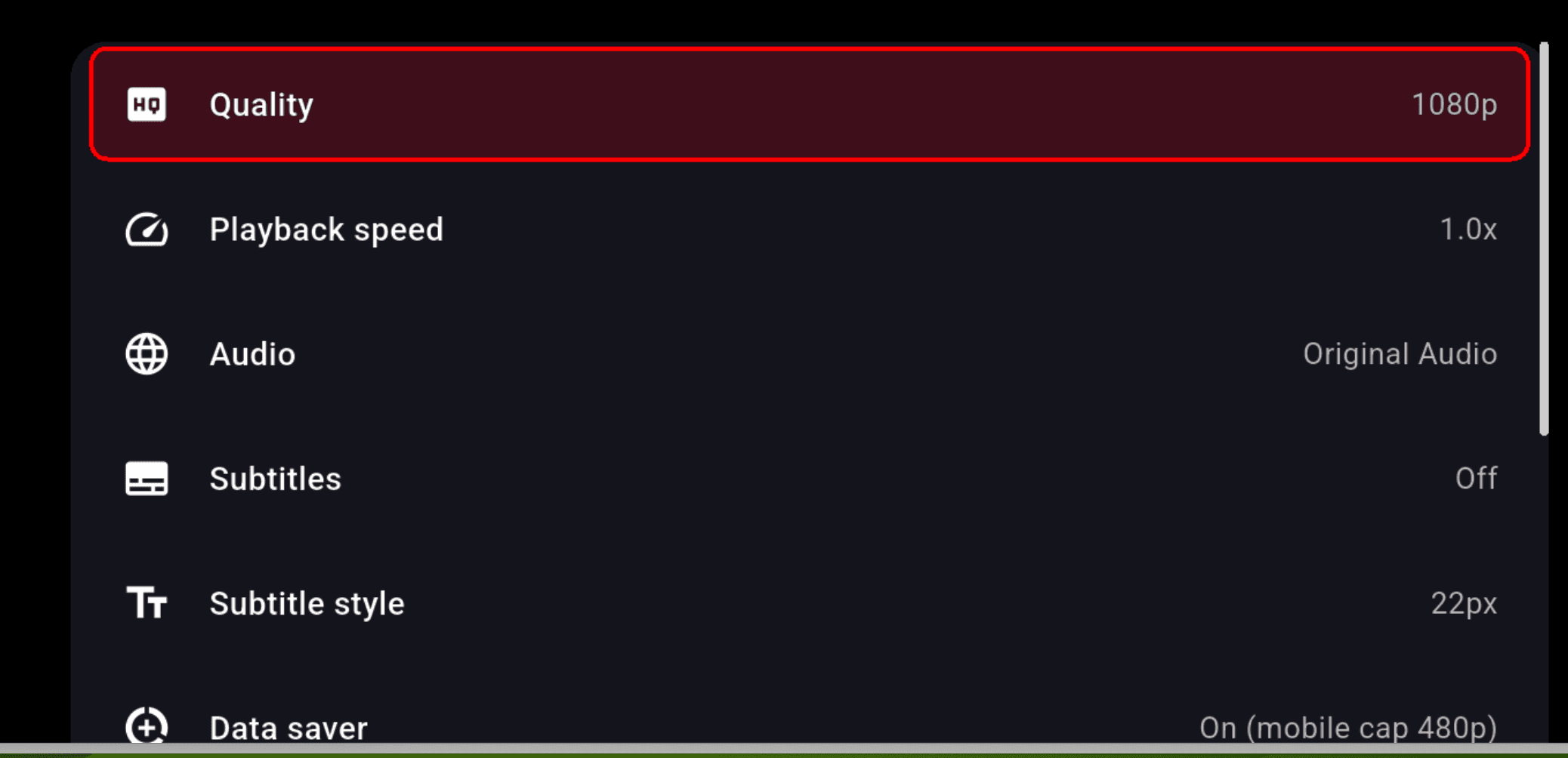
- 1Open the player settings cog → Quality
- 2Switch from Auto to 720p (or 480p on mobile data)
- 3Turn on Data Saver to cap the bitrate automatically
- 4Close heavy background apps, or restart the device
Black screen when a video starts
Why: Your device can't hardware-decode that particular codec (usually HEVC or AV1).
- 1Open player settings → Playback
- 2Switch the decoder from Hardware to Software
- 3On older TVs, drop the quality to 1080p
- 4Back out and re-open the title
Cast / AirPlay can't find the TV
Why: The phone and TV are on different Wi-Fi networks, or the receiver just needs a quick restart.
- 1Put the phone and TV on the same Wi-Fi (not a guest network)
- 2Unplug the Chromecast / Apple TV for 10 seconds
- 3Open the player and tap the Cast icon again
- 4Pick your screen from the list
The dub won't switch
Why: That title only ships with one audio track — the source simply doesn't include the dub you're after.
- 1Open player settings → Audio
- 2If only one option is listed, that dub doesn't exist for this title
- 3Try subtitles instead, or pick another title from the same row
Web version won't load
Why: Your ISP is temporarily blocking the streaming domain — easily the most common web issue.
- 1Open the link in an incognito / private window
- 2Check the homepage for the current working URL (posted daily)
- 3A reputable VPN (any country) reliably bypasses the block
- 4If a VPN is already ON and breaking it, turn that one OFF
App keeps crashing or freezing
Why: Stale cache, low storage, or an outdated build — the usual three suspects.
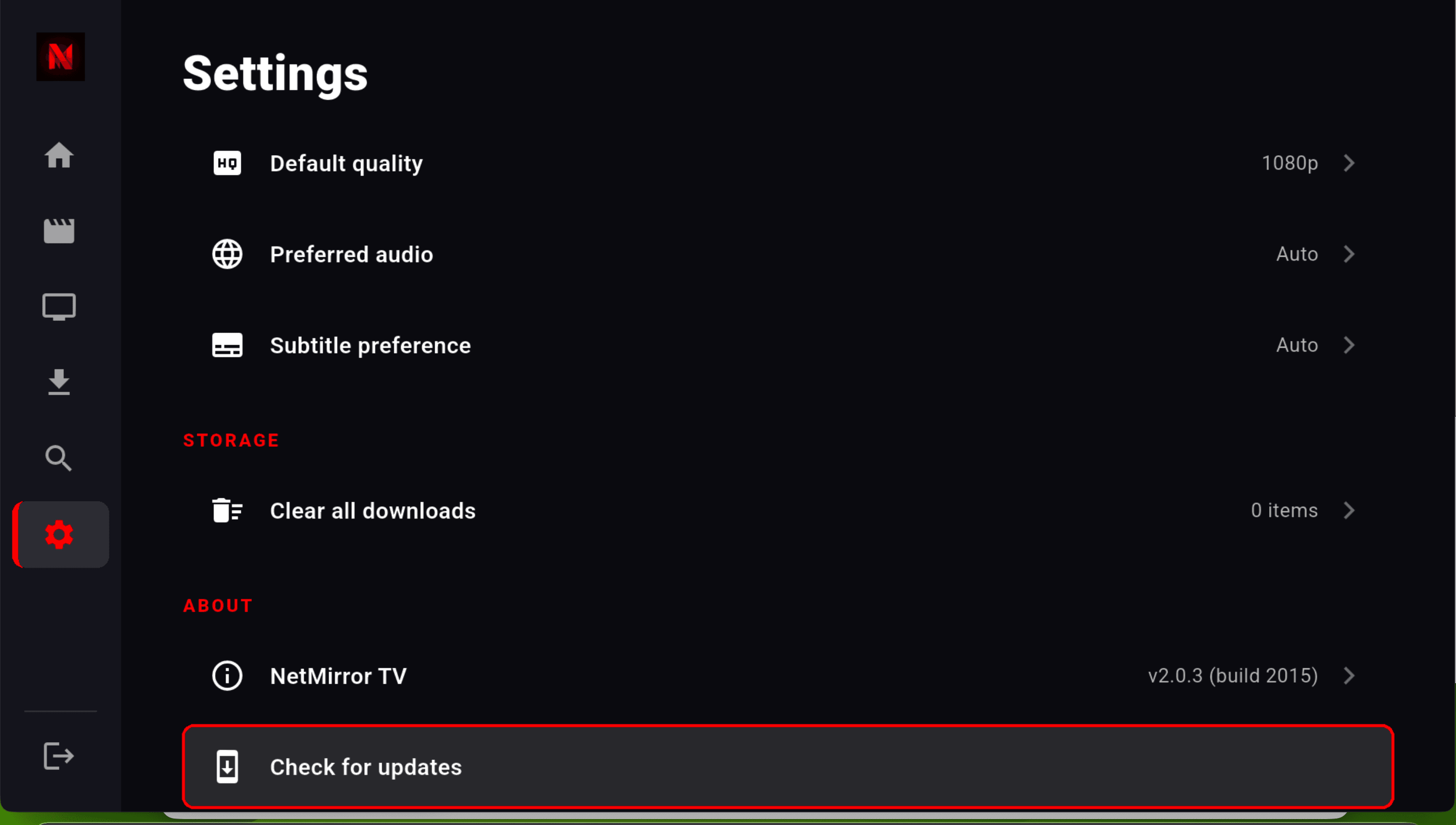
- 1Fully restart the TV or stick, then reopen
- 2Settings → NetMirror → Clear cache
- 3Free up storage — keep at least 500 MB spare
- 4Settings → Check for updates and install the latest
A VPN is causing problems
Why: Some VPNs block the servers NetMirror streams from, which shows up as buffering or an empty screen.
- 1Turn your VPN OFF and try again
- 2If a video now plays, that VPN was the problem
- 3If only the web link is blocked by your ISP, use a different, reputable VPN instead
No sound during a video
Why: Usually the device is muted, on the wrong sound output, or the audio track did not load.
- 1Check the TV or device volume is not muted
- 2Open player settings → Audio and pick a track again
- 3Using Bluetooth or HDMI speakers? Reconnect them
- 4Back out and reopen the title
Audio and video are out of sync
Why: A small decoder hiccup or a long buffering moment knocked them out of step.
- 1Pause for 2–3 seconds, then press play again
- 2Player settings → Playback → switch decoder (Hardware ↔ Software)
- 3Drop the quality to 1080p
- 4If it stays off, restart the episode
Subtitles will not show up
Why: Subtitles are switched off, set too small, or that title simply does not include any.
- 1Player settings → Subtitles → turn them On
- 2Pick your language from the list
- 3Make the size bigger if they are hard to read
- 4If the list is empty, that title has no subtitles
Takes very long to start
Why: Slow internet, or the servers are busy during peak evening hours.
- 1Make sure your speed is at least 10 Mbps
- 2Restart your Wi-Fi router
- 3Set the quality to 720p so it starts faster
- 4If servers are busy, try again in a few minutes
Remote buttons do not respond
Why: The remote needs re-pairing, or the batteries are weak.
- 1Re-pair the remote (hold the Home or Back button)
- 2Fully restart the TV or stick
- 3Replace the remote batteries
- 4Reopen NetMirror
Storage full — downloads will not save
Why: The device has run out of free space.
- 1Settings → Clear all downloads you have finished
- 2Delete shows you have already watched
- 3Set download quality to Medium to use less space
- 4Keep at least 1 GB of storage free
Is this safe? Worried it's a virus
Why: A sideloaded app feels risky and the Play Protect warning doesn't help — but you can actually check NetMirror yourself, no trust required.
- 1Every release is scanned on VirusTotal — no security vendors flag it (0 detections)
- 2The APK is signed with the same key every single time
- 3We publish the SHA-256 — match it to the file you downloaded
- 4There are no tracker SDKs, so it never sends your watch history anywhere
It keeps logging me out
Why: On the app you don't need an account at all — but on the web version, your list only saves while you're signed in.
- 1Remember: an account is optional, only for syncing across devices
- 2On the web, sign in so My List and history are saved
- 3Use the same account on every device
- 4Check your internet — syncing needs a connection
A new update won't install
Why: Usually the old build is conflicting, or there isn't enough free space.
- 1Download the newest APK from the download page
- 2Install it right over the old app — your data stays
- 3Still failing? Uninstall the old one first, then install fresh
- 4Make sure you have at least 200 MB free
A title won't play or says “unavailable”
Why: That single title's source is temporarily down or has moved — or it's region-locked, and NetMirror doesn't bypass the source's geo-restrictions.
- 1Try another episode, or another title from the same row — if those play, it's just that one source
- 2Reopen the title after a minute, or pull down to refresh
- 3If it's blocked in your region, a VPN set to the right country can help
- 4Report the dead title in the Telegram channel so the team re-points it
Still not fixed?
Send your device name, the exact message you see, and a screenshot to the Telegram channel. The team usually replies the same day and will walk you through it.
14 questions.
14 straight answers.
The ones we get asked again and again — about devices, installing, safety and the legal grey area. Search, or filter by topic.
Yours not here? Ask on TelegramNetMirror TV is a free Android TV / Fire Stick app (and a web app for Samsung and PC) that pulls the catalogues of Netflix, Prime Video, JioHotstar, Apple TV+, Sony LIV, Zee5, MX Player and Crunchyroll into one searchable library. You search once, it tells you which app has the title and in which dub, and plays it. No official accounts from those services are needed.
Pick up your remote. Start streaming.
Three steps, about three minutes, zero rupees. No account, no card, no catch — if it doesn't earn its spot, uninstall is two button presses.
Download the APK
30 secTap the red button below. The 106 MB file lands in your TV's Downloads folder — or pull it through the Downloader app on a Fire Stick. Smaller than a single photo.
Allow & install
1 minFlip on “Install from Unknown Sources” once, then tap Install → Open. If Play Protect pops up, tap “Install anyway” — it's just a policy notice, not a virus.
Pick a language & play
2 minOnboarding asks your language once, then drops you on the home screen with all eight apps ready. Press play — and that's genuinely it. You're watching.
Built and maintained by the NetMirror TV Dev Team · v2.0.8 · 2 June 2026